> For the complete documentation index, see [llms.txt](https://docs.affiliaters.in/llms.txt). Markdown versions of documentation pages are available by appending `.md` to page URLs; this page is available as [Markdown](https://docs.affiliaters.in/browser-extension/extension.md).

# Browser Extension

<figure><img src="https://116777058-files.gitbook.io/~/files/v0/b/gitbook-x-prod.appspot.com/o/spaces%2F5DqSGQTeKzLe8SU5WFwA%2Fuploads%2Fgit-blob-1fed014942162016ad0d77a5e934a348b1255ca3%2Fhero.webp?alt=media" alt="Affiliaters Deal Converter — turn any product page into your affiliate deal in one click"><figcaption><p>Affiliaters Deal Converter — free with your Affiliaters account</p></figcaption></figure>

## What it is

**Affiliaters Deal Converter** turns a product page or a pasted deal into **your** affiliate deal, without opening the dashboard. It runs on **Chrome, Edge, Brave and Opera**, is **free with your Affiliaters account**, and uses the affiliate IDs, shortener and message format you have already set up.

Two ways to use it:

| Way                 | Where                                              | Works out of the box     |
| ------------------- | -------------------------------------------------- | ------------------------ |
| **The popup**       | Toolbar icon — paste any product link or deal text | Yes                      |
| **On-page buttons** | Directly on product pages of supported stores      | No — switch on per store |

Supported stores: **Amazon.in, Flipkart, Myntra, Croma and Shopsy**. The extension touches nothing else.

## Install

[**Add it from the Chrome Web Store**](https://chromewebstore.google.com/detail/affiliaters-deal-converte/fallbmbjigjnljhfekfdjnlemgnghfhi) — one click, no ZIP and no developer mode. Chrome keeps it updated for you. Any Chromium browser that can use the Web Store installs from the same listing, so **Edge, Brave and Opera** work too. There is no Firefox build.

{% hint style="info" %}
After installing, click the puzzle-piece icon in the toolbar and **pin** Affiliaters Deal Converter so it is one click away.
{% endhint %}

## Step 1 — Authorize it

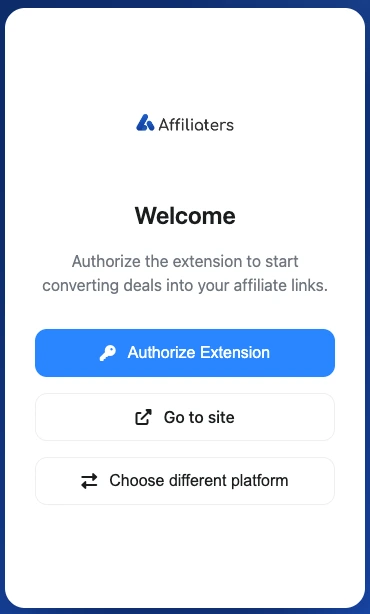
Open the extension and press **Authorize Extension**. It signs in with the Affiliaters account you already have — the extension never asks for or stores your password.

<figure><img src="https://116777058-files.gitbook.io/~/files/v0/b/gitbook-x-prod.appspot.com/o/spaces%2F5DqSGQTeKzLe8SU5WFwA%2Fuploads%2Fgit-blob-b240c6f2bba5c919a779ba8550e036ec2f6ccdbf%2Fauthorize.webp?alt=media" alt="The extension welcome screen with an Authorize Extension button" width="330"><figcaption><p>Authorize once — no password is stored</p></figcaption></figure>

{% hint style="warning" %}
Nothing converts until you authorize. If the popup keeps showing this screen, sign in at [app.affiliaters.in](https://app.affiliaters.in/) in the same browser first, then press **Authorize Extension** again.
{% endhint %}

## Step 2 — Convert from the popup

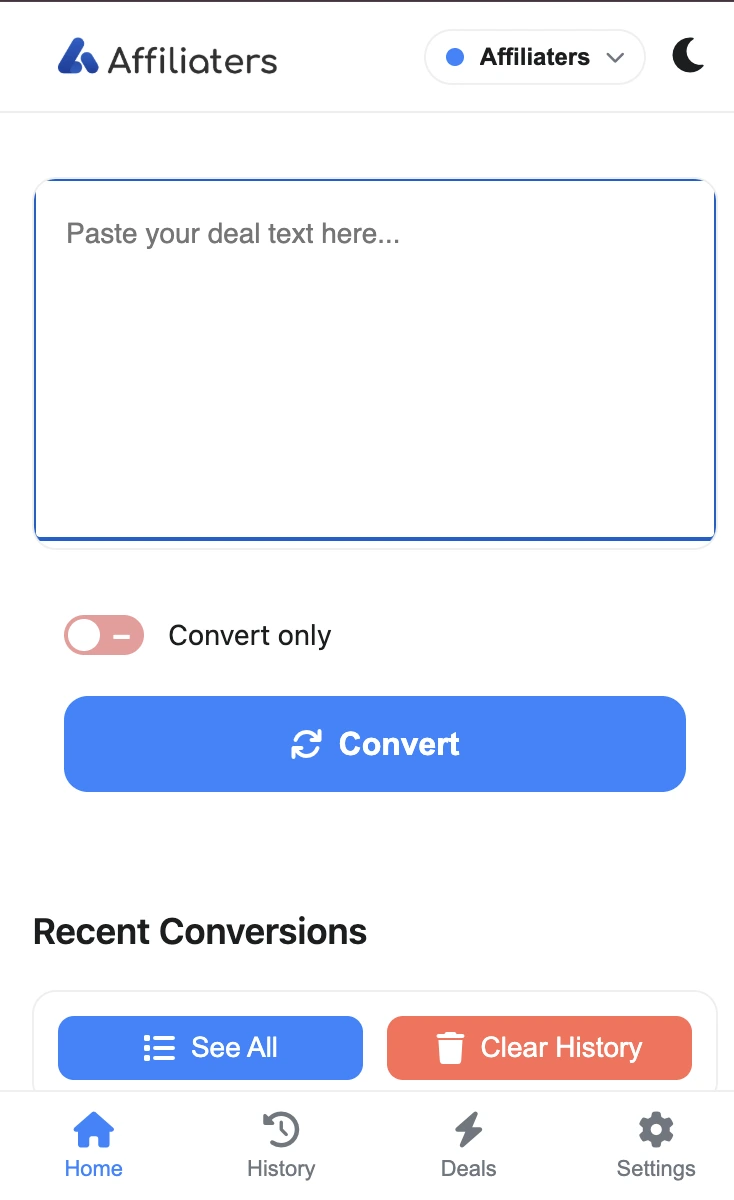
This works immediately after authorizing, on any site. Click the toolbar icon, paste a **product link or a whole deal message**, and press **Convert**.

<figure><img src="https://116777058-files.gitbook.io/~/files/v0/b/gitbook-x-prod.appspot.com/o/spaces%2F5DqSGQTeKzLe8SU5WFwA%2Fuploads%2Fgit-blob-f38f267491a323c7a83eade632a5091270bc8513%2Fpopup-home.webp?alt=media" alt="The extension popup with a paste box, a Convert only switch and a Convert button" width="340"><figcaption><p>Paste a link or a full deal message, then press Convert</p></figcaption></figure>

* **Convert only** — switch it **on** to get the converted deal back without posting anything.
* Leave it **off** to convert *and* post to the platforms connected to your account.
* **Recent Conversions** keeps the last few results one click away.

Because the conversion runs through your Affiliaters account, the result already carries your affiliate IDs, your shortener and your message format — exactly the same output as the web [Converter](/convert-and-share/converter.md).

## Step 3 — Turn on the on-page buttons (optional)

Open **Settings → Shopping sites** in the extension. Every store starts **off**. For each store you can switch on:

* **Convert Button** — adds **Convert Only** and **Convert Share** to that store's product pages.
* **Image** — includes the product image with the deal.

Turn on only the stores you actually post from. This is why nothing appears on a product page until you enable it.

## Step 4 — Convert straight from a product page

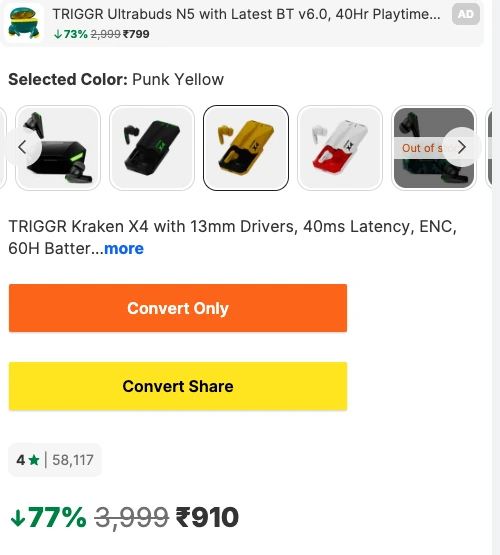
With a store enabled, open any **product page** on it and the two buttons appear near the price.

<figure><img src="https://116777058-files.gitbook.io/~/files/v0/b/gitbook-x-prod.appspot.com/o/spaces%2F5DqSGQTeKzLe8SU5WFwA%2Fuploads%2Fgit-blob-fae0528609eceb43ba54d54d64210f1c0794eb33%2Fonpage-buttons.webp?alt=media" alt="Convert Only and Convert Share buttons added to a product page" width="420"><figcaption><p>The two buttons, added to the product page you are already on</p></figcaption></figure>

* **Convert Only** — reads the product, builds your deal text and shows it for copying.
* **Convert Share** — the same, and posts it to your connected platforms in one go.

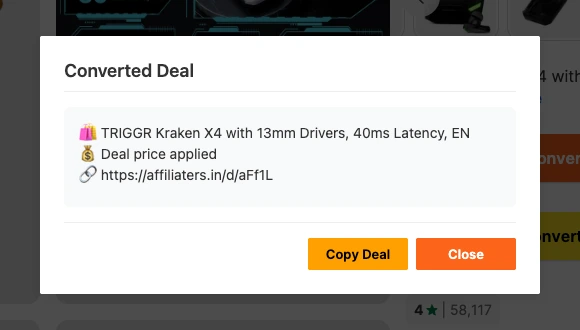
The result opens in a **Converted Deal** box with a **Copy Deal** button:

<figure><img src="https://116777058-files.gitbook.io/~/files/v0/b/gitbook-x-prod.appspot.com/o/spaces%2F5DqSGQTeKzLe8SU5WFwA%2Fuploads%2Fgit-blob-56f22ddd4af6f536200fd33a9d7949927ad82722%2Fconverted-modal.webp?alt=media" alt="The Converted Deal box showing the finished deal text with a shortened link and a Copy Deal button" width="500"><figcaption><p>Title, price and your shortened affiliate link — ready to copy</p></figcaption></figure>

The buttons look and behave the same on all five stores — only the page around them changes.

{% hint style="info" %}
They appear on **single product pages**, not on search results or category listings — a single product is what there is to read.
{% endhint %}

## Step 5 — Find what you converted

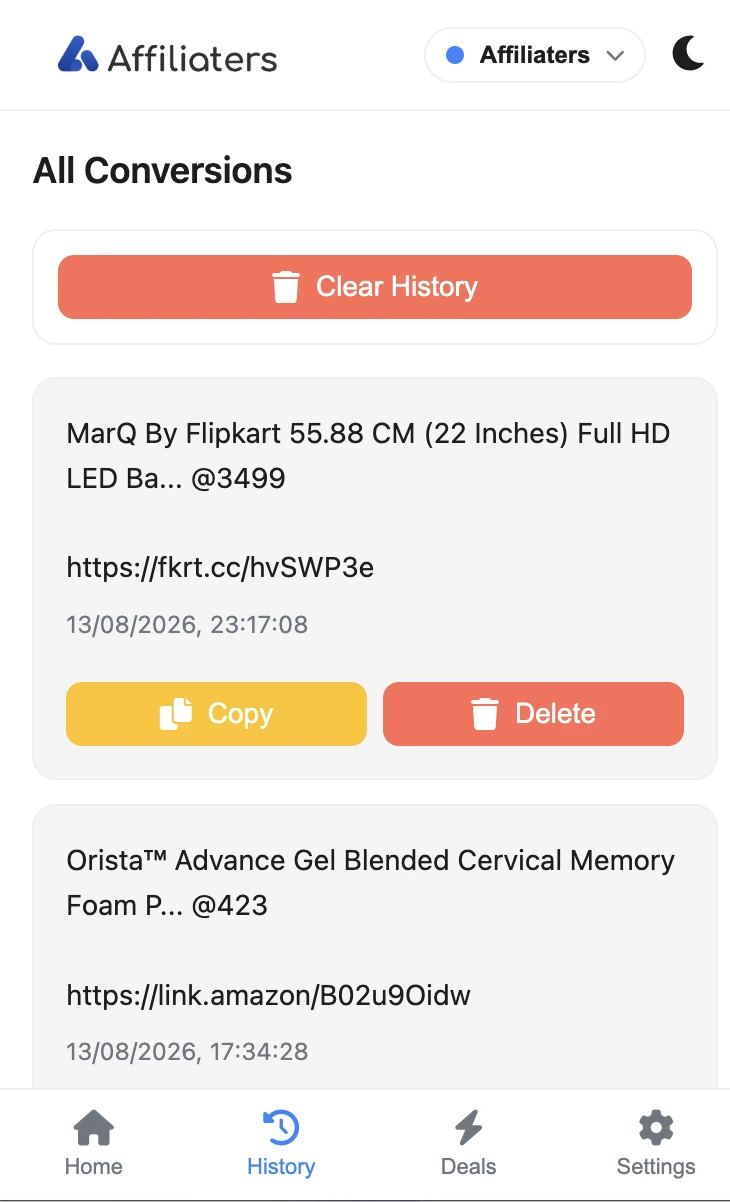
The **History** tab lists every conversion made from the browser, newest first, each with **Copy** and **Delete**. **Clear History** empties the list.

<figure><img src="https://116777058-files.gitbook.io/~/files/v0/b/gitbook-x-prod.appspot.com/o/spaces%2F5DqSGQTeKzLe8SU5WFwA%2Fuploads%2Fgit-blob-c59cd4bd386f153ee3a83470fc4ed9218edee411%2Fpopup-history.webp?alt=media" alt="The All Conversions list showing converted deals with shortened links, Copy and Delete buttons" width="340"><figcaption><p>Every conversion from the browser, with its shortened link</p></figcaption></figure>

History is stored **on your device**, so clearing it does not touch anything in your dashboard.

## Privacy is default-off

Everything is off until you switch it on — the extension only acts on the stores you enable, and only on the five supported stores.

* [Extension Privacy Policy](https://affiliaters.in/extension-privacy)
* [Extension Terms](https://affiliaters.in/extension-terms)

## Troubleshooting

* **No buttons on a product page?** The store is off by default — switch on **Convert Button** for it under **Settings → Shopping sites** (Step 3), and check you are on a single product page, not a listing.
* **Buttons appear but the link has no affiliate ID?** The extension uses your dashboard settings. Confirm the store and its network are set up in [Affiliate Settings](/settings/affiliate-settings.md).
* **Convert Share does not post anywhere?** Connect at least one platform to your account first — see [Telegram](/social-platforms/telegram.md), [WhatsApp](/social-platforms/whatsapp-beta.md), [Facebook](/social-platforms/facebook.md), [Twitter (X)](/social-platforms/twitter.md) or [Discord](/social-platforms/discord.md).
* **Deal text is not in your format?** The message format comes from your account, not the extension — set it up in the dashboard and the extension follows it.
* **Popup still asks you to authorize?** Sign in at [app.affiliaters.in](https://app.affiliaters.in/) in the same browser, then press **Authorize Extension**.