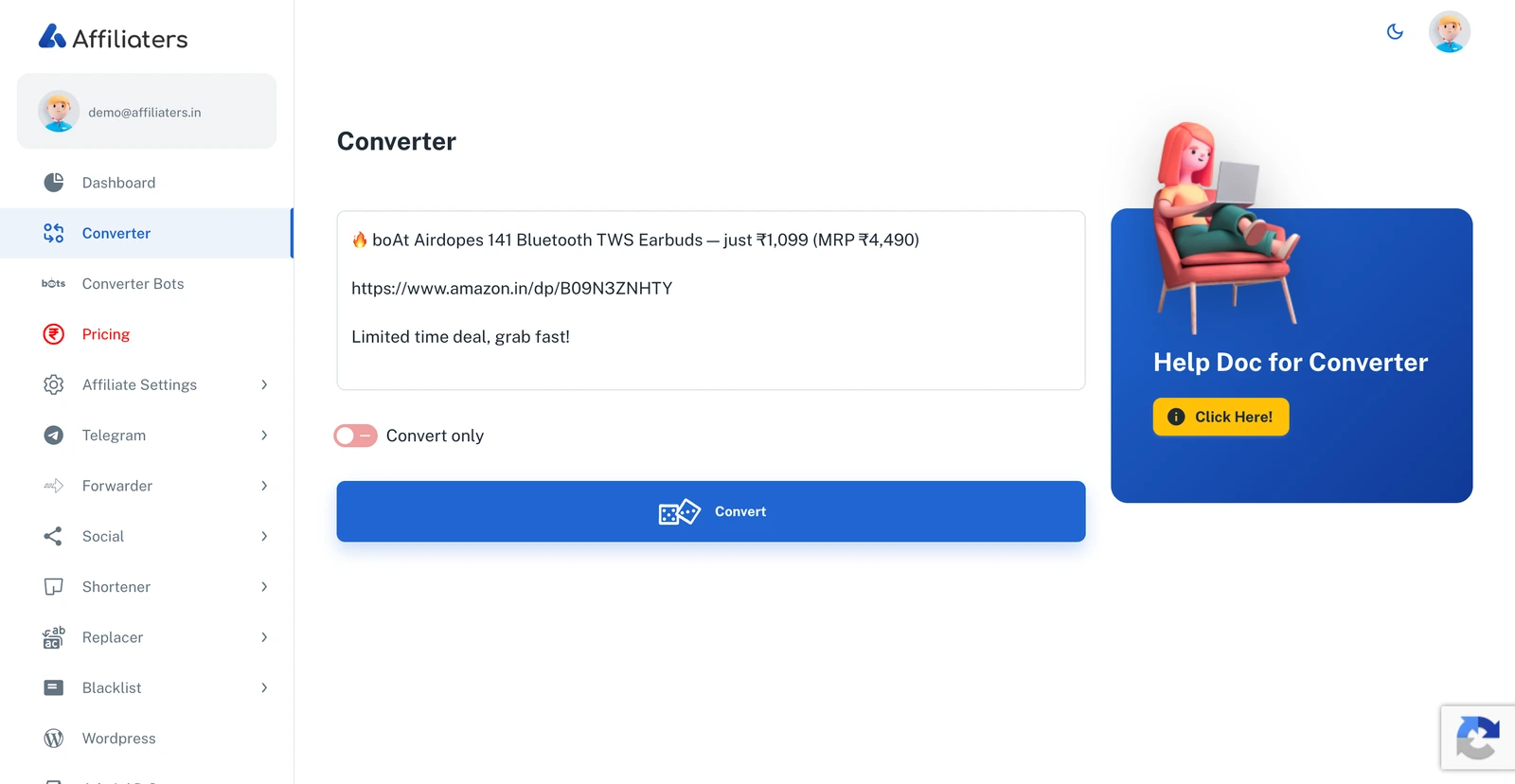
> For the complete documentation index, see [llms.txt](https://docs.affiliaters.in/llms.txt). Markdown versions of documentation pages are available by appending `.md` to page URLs; this page is available as [Markdown](https://docs.affiliaters.in/convert-and-share/converter.md).
# Converter
Paste a deal, click Convert, get it back with your affiliate links
## URL
The **Converter** is where the magic happens. Paste any deal — whether it contains **1 link or 100** — and Affiliaters converts every link according to your [Affiliate Settings](/settings/affiliate-settings.md), shortens them, and returns the deal ready to promote with **your** affiliate links.
## How to use it
1. Paste your deal text (with links) into the box.
2. Click **Convert**.
3. Your converted deal comes back with all links replaced by your affiliate links.
4. Click **Copy** to copy it, or **Reset** to start over with another deal.
{% hint style="info" %}
**Convert only** means the deal is converted and returned to you — it is **not** posted to your social media. To convert **and** auto-post in one step, use the [Converter Bots](/convert-and-share/converter-bots.md) on Telegram.
{% endhint %}