> For the complete documentation index, see [llms.txt](https://docs.affiliaters.in/llms.txt). Markdown versions of documentation pages are available by appending `.md` to page URLs; this page is available as [Markdown](https://docs.affiliaters.in/forwarder/telegram-forwarder.md).
# Telegram Forwarder (Beta)
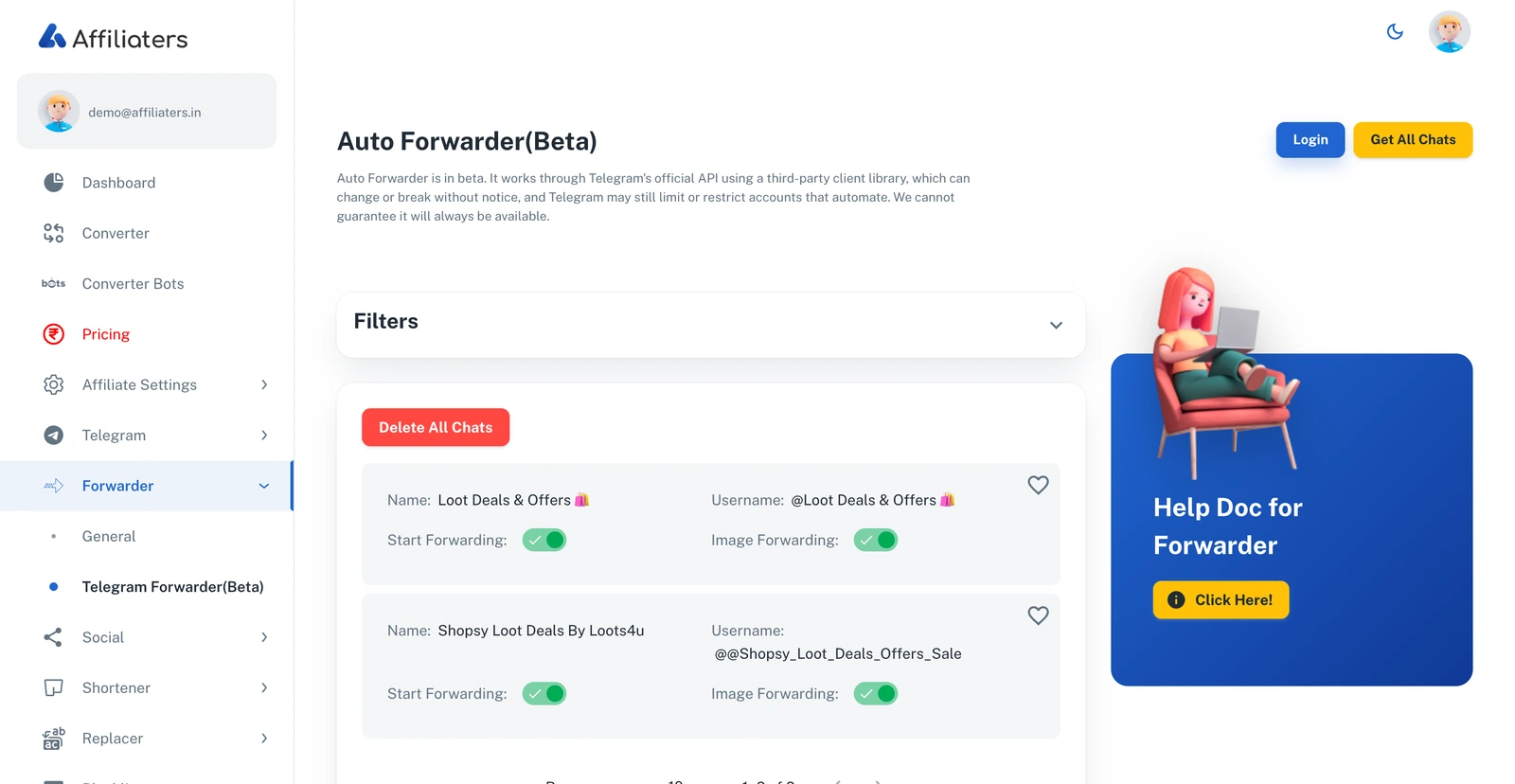
The Telegram Forwarder — logged in, with source channels listed
## URL
The **Telegram Forwarder** watches any Telegram channel or group you have joined and automatically forwards its posts into Affiliaters. Combined with your affiliate settings, deals from any source channel get converted with **your** affiliate links and posted to **your** platforms — completely hands-free.
## What you need
* A plan that includes the **Forwarder** (see [Pricing](/pricing.md)).
* The **Telegram account** (phone number) that has joined the source channels you want to copy from.
{% hint style="warning" %}
**Beta — use at your own risk.** The Telegram Forwarder logs in with **your own Telegram account** (phone number + OTP, plus your 2FA password if enabled) and works through Telegram's official API using a third-party client library, which can change or break without notice. Telegram may limit or restrict accounts that automate, so we recommend using a **dedicated or spare number** rather than your main personal account. You can disconnect at any time, and there is no guarantee this feature will always be available. See the [Terms](https://affiliaters.in/terms).
{% endhint %}
## How to set up the Telegram Forwarder
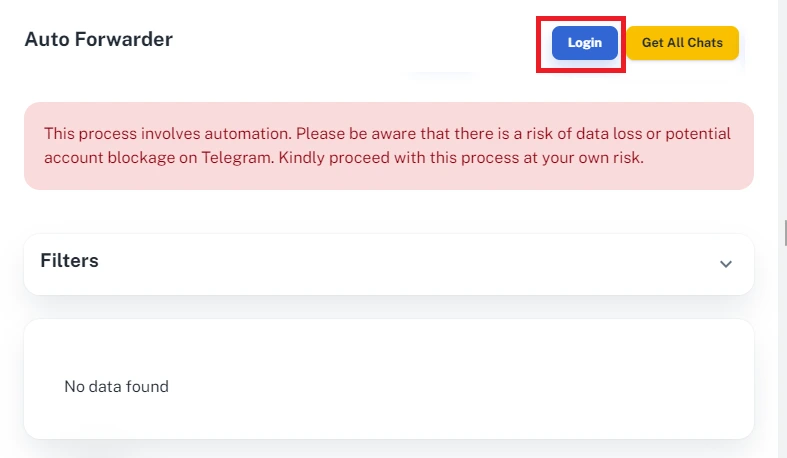
1. Go to **Forwarder > Telegram Forwarder** and click **Login**.
Click Login to connect your Telegram account
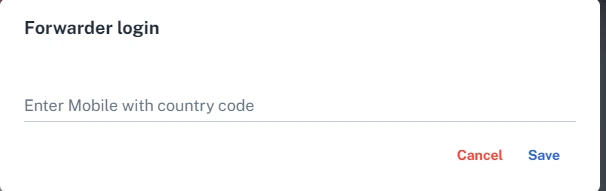
2. Enter your **mobile number with country code** (for example `+91xxxxxxxxxx`) in the popup.
Enter your number with the country code
3. Telegram sends you an **OTP inside the Telegram app** (not SMS) — check your Telegram messages and enter it.
4. If you have **two-factor authentication (2FA)** enabled, you will also be asked for your Telegram password.
5. Once logged in, press **Get All Chats** to load every channel and group your account has joined.
6. Find the **source channel** you want to copy deals from and turn on **Start Forwarding** next to it.
7. *(Optional)* Turn on **Image Forwarding** for that chat if you also want the images from the source posts.
That's it — every new post in the source channel is now automatically converted with your affiliate links and shared to your configured platforms.
## Managing your chats
* **Filters** — search your chat list by name or status when you have many chats.
* **Delete All Chats** — clears the imported chat list (your Telegram account itself is not touched). Use **Get All Chats** to re-import.
## Troubleshooting
* **No OTP received?** The code arrives as a **Telegram message**, not an SMS. Open the Telegram app and check the chat from "Telegram".
* **Deals are forwarded but links aren't converted?** Check your [Affiliate Settings](/settings/affiliate-settings.md) — the store must be enabled and a network selected.
* **Want official network deals without logging in a Telegram account?** Use [Forwarder General](/forwarder/forwarder-general.md) instead.