> For the complete documentation index, see [llms.txt](https://docs.affiliaters.in/llms.txt). Markdown versions of documentation pages are available by appending `.md` to page URLs; this page is available as [Markdown](https://docs.affiliaters.in/settings/affiliate-settings/networks/shopsy.md).
# Shopsy
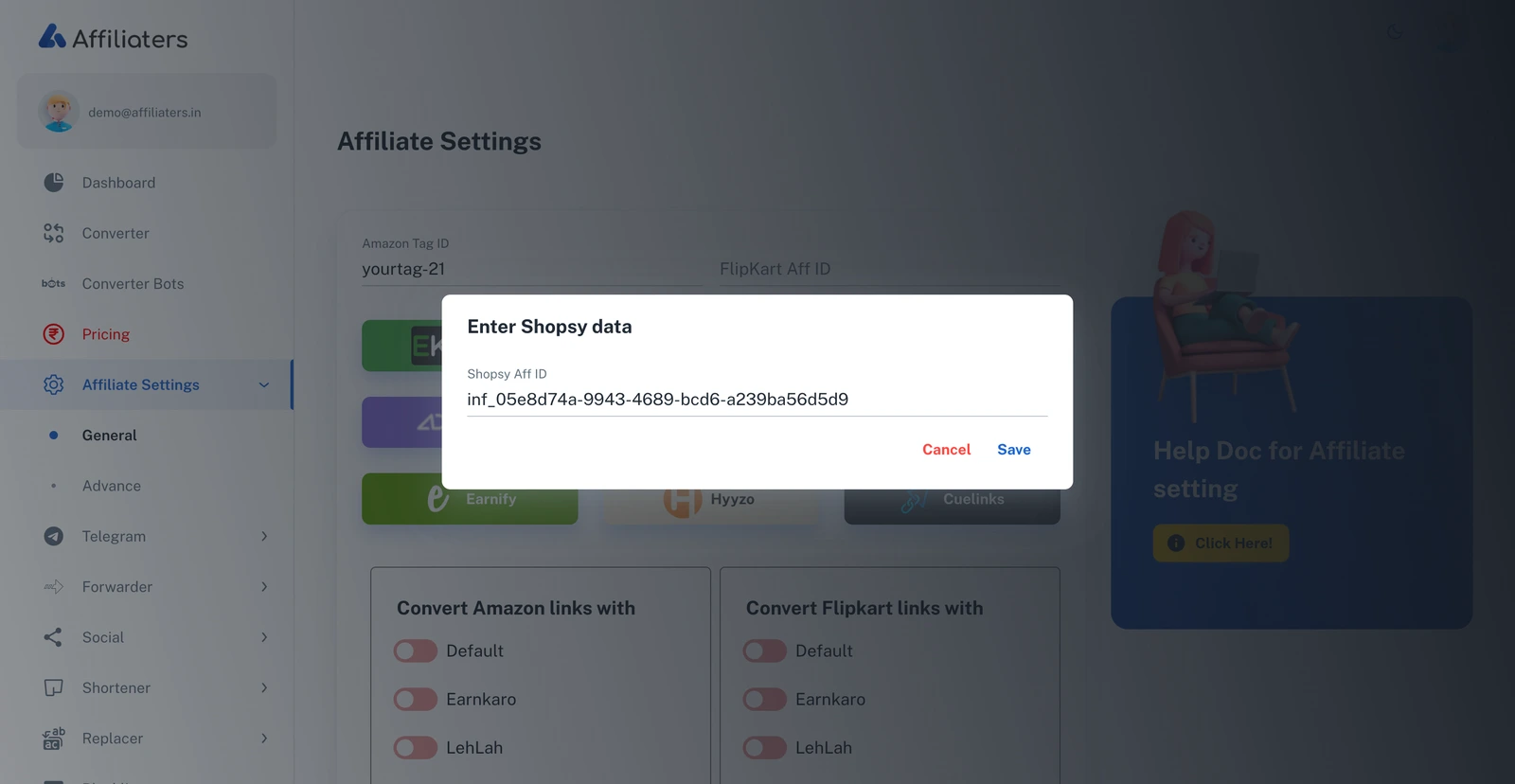
The Shopsy dialog — enter your Shopsy Aff ID
## How to set up Shopsy with Affiliaters
Click the **Shopsy** button in [Affiliate Settings](/settings/affiliate-settings.md) and enter your **Shopsy Aff ID**. You can find it inside any product link you share from Shopsy's Creator Studio — follow the steps below.
## What you need
{% hint style="danger" %}
You must have an approved **Creator Studio** account on Shopsy. If you don't have one yet, apply for it inside the Shopsy app first.
{% endhint %}
## Find your Shopsy Aff ID
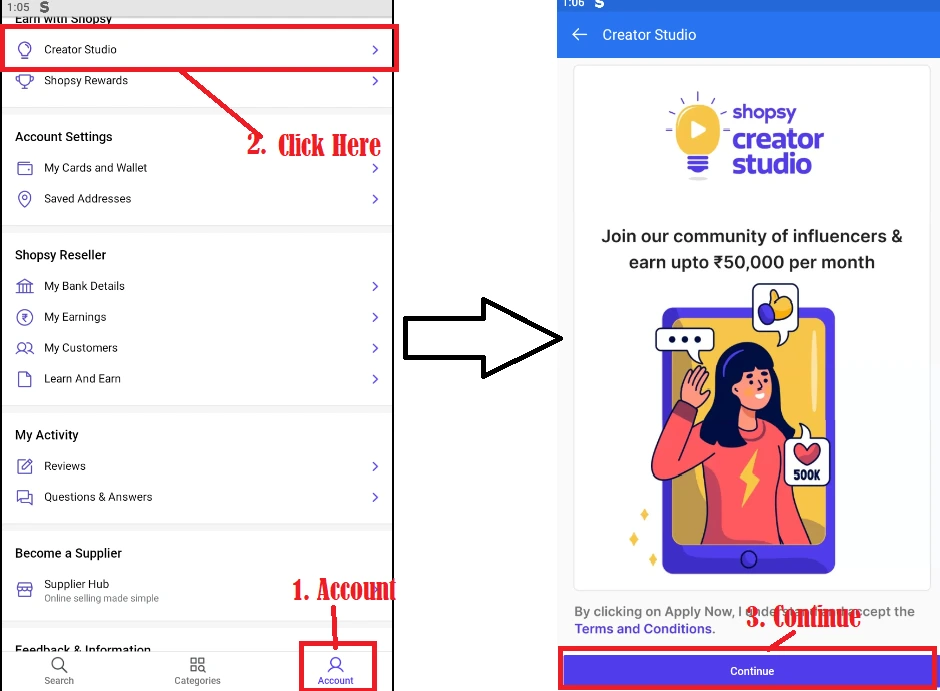
1. Log in to the Shopsy app, tap the **Account** tab at the bottom, then tap **Creator Studio** and press **Continue**.
Account → Creator Studio → Continue
2. Open any **category** and select any **product** from the list.
Pick any category and any product
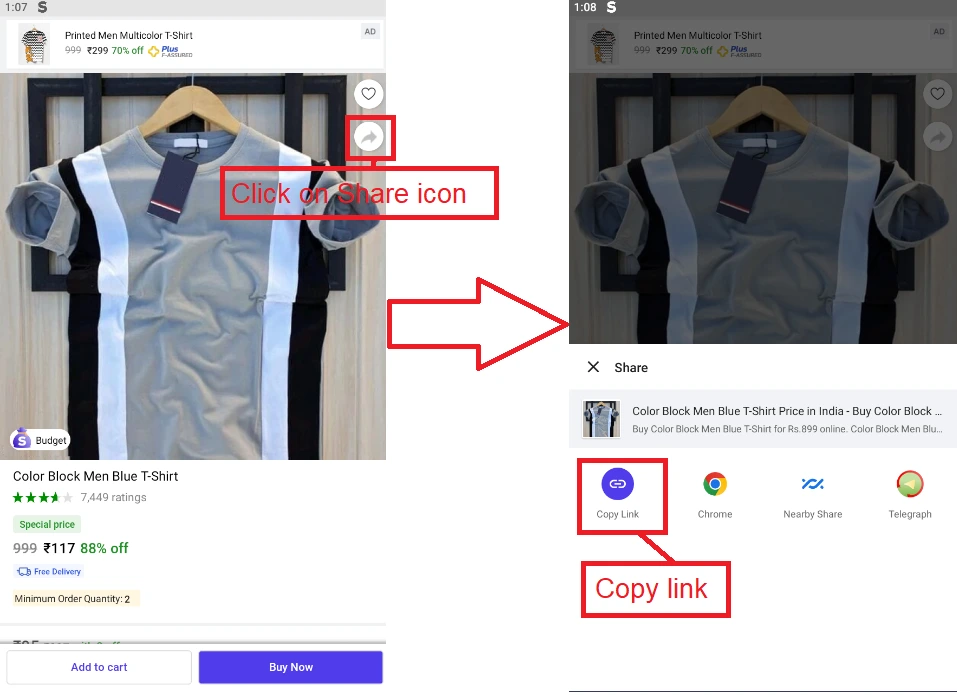
3. Tap the product's **share icon** and **copy the link**.
Share the product and copy the link
4. Look at the copied link — the part after `affid=` is your **Shopsy Aff ID**:
```
https://www.shopsy.in/...?pid=XPTGGMUVXH65J9B7&affid=inf_05e8d74a-9943-4689-bcd6-a239ba56d5d9&cmpid=...
```
In this example the Aff ID is `inf_05e8d74a-9943-4689-bcd6-a239ba56d5d9`.
5. Enter the Aff ID in the Shopsy dialog and **Save**.